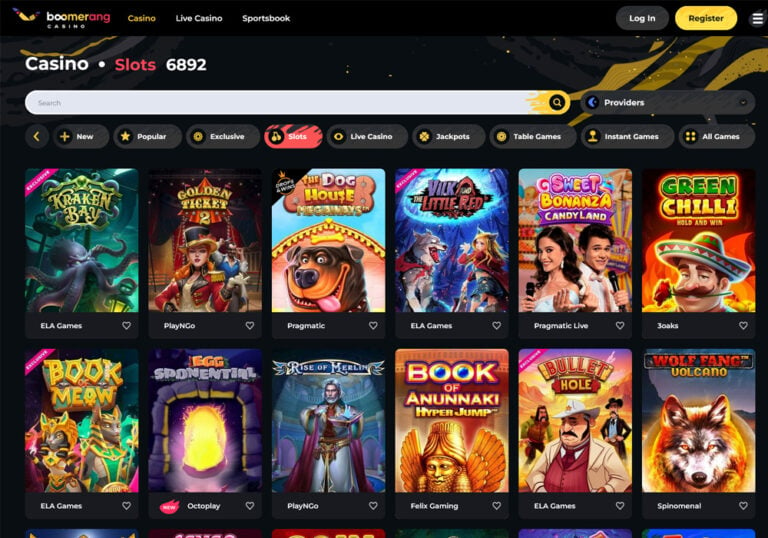
Hráči v the Czech Republic stále více využívají platformy zaměřené na mobily jelikož hledají plynulý přístup to casino games without the delays jež stolní verze často způsobují https://boomerangkazino.com/cs/app. Boomerang Casino vytvořilo svou specializovanou aplikaci pro splnění tohoto požadavku, delivering stable performance on the devices jež většina hráčů vlastní. Další části vysvětlují, jak aplikace funguje, which devices it supports, jak provést bezpečnou instalaci, a co očekávat po jejím spuštění. Po přečtení zjistíte, jestli aplikace Boomerang Casino správnou volbou pro váš herní styl a stav vaší sítě.
Device Compatibility and System Prerequisites
Before downloading the Boomerang Casino app, ensure that your handset satisfies the minimum technical specifications. Android devices require version 7.0 or later, while iOS devices demand iOS 13 or newer. These requirements ensure that the app can access the graphics libraries and security frameworks necessary for smooth gameplay. Older firmware can still load the mobile site, yet users on legacy systems frequently experience slower frame rates and occasional crashes during live dealer sessions.
Screen resolution also affects gameplay. The interface scales on its own from 720p upward, but players with 1080p or higher displays benefit from sharper card textures and more readable paytables. RAM of at least 3 GB is advised; devices with only 2 GB can operate the app yet may have to terminate background programs to avoid stuttering when multiple tables are open simultaneously.
Compatible Tablet Models
Tablets offer the same selection to a larger canvas. Android tablets on version 8.0 or later and iPads running iPadOS 14 or later obtain an optimized layout that maintains the lobby, balance, and chat panels accessible without constant scrolling. Landscape mode engages on its own once the device is rotated, offering roulette wheels and slot reels extra visual space.
Performance on Mid-Range Hardware
Mid-range phones released within the last three years generally deliver 60 frames per second on standard slot titles. Flagship devices can sustain that rate even during live-streamed blackjack, assuming the local connection remains above 10 Mbps. If you observe frame drops, lowering the graphics setting inside the app menu often restores stability without sacrificing core functionality.
Getting Started Guide for Apple Phone and iPad
iOS users take a separate method because Apple does not allow direct installation. From Safari, access the same app page and click the iOS button. You will be taken to a setup profile located on the company’s servers. Confirm the profile in Settings, then navigate to the home screen where the Boomerang Casino icon appears.
The initial launch triggers an additional verification step that validates device integrity. This step normally completes in under ten seconds on Wi-Fi. When the profile become invalid after 90 days, easily repeat the installation; no data is deleted because game history and balances stay server-side.
Business Certificate Renewal
From time to time Apple cancels the enterprise certificate utilized to authorize the app. When this happens, the icon becomes dim and the device shows a trust warning. Going back to the initial download page and reapplying the newest profile restores functionality within minutes. Alerts inside the app notify users 48 hours before expiry so proactive renewal is achievable.
Key In-App Features That Reduce Latency
The Boomerang Casino app utilizes a streamlined rendering engine that buffers static assets locally, slashing initial load times to under four seconds on 4G. Live dealer streams use adaptive bitrate technology, instantly stepping down from 1080p to 480p if packet loss exceeds two percent, thereby eliminating the freezes common on congested Czech mobile networks during evening hours.
Another built-in tool is the one-tap game resume. If a call or notification pauses play, the app saves the exact game state and restores it when reopened, bypassing the need to restart the round or wait for the dealer to reshuffle. This feature alone cuts an estimated fifteen seconds per interruption, a significant difference during high-frequency sessions.
Alert Notification Controls
Personalizable cbc.ca alerts keep players notified without forcing constant app checks. You can toggle notifications for deposit confirmations, bonus expirations, and tournament start times. Each category can be silenced independently, so users who choose silence during work hours can still receive critical banking messages.
Download Steps for Android Users in Czechia
Google Play does not list gambling applications, so the Boomerang Casino app needs to be acquired directly from the operator’s site. Launch your browser, visit boomerangkazino.com/cs/app/, and click the Android download button. The file comes in APK format and is approximately 48 MB on current builds.
After the download ends, find the file in your notifications shade or the Downloads folder. Click it to begin installation. If Android stops the action, open Settings, Security, and turn on “Install unknown apps” for your browser. The process needs thirty to forty seconds on most networks. Once complete, launch the app and authenticate with existing credentials or set up a new account in under two minutes.
Confirming the APK Signature
Security-conscious users are advised to match the SHA-256 fingerprint displayed on the download page with the value shown inside the app’s About screen. Matching hashes verify that the file has not been changed during transfer. Boomerang Casino posts updated fingerprints whenever a new version is released, so re-checking after each update is wise practice.
Safety Protocols Tailored for Mobile Play
Every session in the Boomerang Casino app is secured by TLS 1.3 encryption, the same standard employed by banks. In addition, the app implements certificate pinning, which prevents man-in-the-middle attempts even on public Wi-Fi networks common in Czech cafés and trains. Biometric login through fingerprint or Face ID can be enabled in the security menu, taking the place of manual password entry after the initial setup.
Session timeouts are adjusted to fifteen minutes of inactivity by default. After this period the app demands re-authentication, lowering the risk of unauthorised use if a device is left unattended. Transaction logs, such as deposits and withdrawals, are stored locally in encrypted form and can be exported as PDF statements for personal record keeping.
Dual-Factor Authentication Workflow
When two-factor authentication is activated, each login creates a six-digit code sent via SMS or authenticator app. The code expires after sixty seconds, preventing brute-force attempts. Users who travel frequently can whitelist trusted networks so that 2FA prompts appear only when connecting from new IP ranges.
Bandwidth Usage and Power Efficiency
Viewing a live roulette table for one hour uses roughly 280 MB when set to high definition. Switching to standard definition reduces usage to 110 MB, a useful option for users on limited data plans. Slot games without live video average 35 MB per hour because only outcome data and minimal graphics are transferred.
Battery impact is influenced by screen brightness and chipset. On a typical mid-range Android handset, one hour of play at 50 percent brightness drains about seven percent of capacity. Turning on the app’s dark theme cuts OLED power draw by an additional two percent. Players who anticipate extended sessions should consider lowering brightness or connecting to a charger after ninety minutes.
Offline Functionality Limitations
Some free-to-play demo versions remain accessible without connectivity, yet real-money features demand an active link to the game server. The app presents a clear banner when connection drops below 1 Mbps, urging the user to switch networks or pause play. No bets can be made until the connection stabilises, protecting both player and operator from incomplete transactions.
Frequently Asked Questions
Is the Boomerang Casino app listed in the Google Play Store?
No, it is not. Because of regional policies, the app needs to be downloaded directly from the official site. The process is easy and includes signature verification to ensure file integrity.
Will my account work on both mobile and desktop?
Absolutely. Your funds, game history, and active bonuses remain synchronised across platforms. Simply log in with the same credentials on any supported device.
What to do when Android installation gets blocked?
Enable installation from unknown sources in your device settings, then retry. If the issue persists, temporarily disable any third-party security apps that might flag the APK.
Does the app offer Czech language support and CZK gaming?
The interface includes Czech localisation, and all listed games accept Czech koruna for bets and payouts. Currency conversion fees do not apply for CZK transactions.
What is the update frequency for the app?
Major updates come out quarterly, while minor patches addressing bugs or security fixes can arrive monthly. Activate automatic updates in your device settings to stay current.
Is my progress saved if I uninstall the app?
Not at all. All account data is stored server-side. Reinstalling and logging back in recovers your history, balance, and any pending bonuses immediately.
Is customer support accessible directly from the app?
Absolutely. A live-chat button is found in the main menu and connects you to an agent within two minutes during operating hours. Support is provided in Czech and English.
After examining the technical requirements, installation paths, and performance characteristics, the practical next step is to visit boomerangkazino.com/cs/app/ on your phone, verify your device meets the listed specifications, and finish the download. Once installed, devote a few minutes adjusting graphics settings and notification preferences to match your typical playing environment. This preparation makes sure that every session begins without delay and continues smoothly, regardless of network fluctuations common across the Czech Republic.
