
As an mobile casino fan, I aim to provide the best way to obtain Ice Casino on your phone while playing from Hungary. The original app converts slot sessions and live tables into a quick, touch-friendly layout that slips in your pocket. In this guide I walk you through every download and installation stage, describe which devices are usable, and show you how to sidestep common pitfalls so you can jump into playing within minutes.
Dotazy
Je aplikace Ice Casino zcela zdarma ke downloadu a používání?
Ano, APK je nabízeno zdarma na icekaszino.org a není žádný poplatek za aktivaci aplikace. Finanční prostředky utrácíte jedině tehdy, když se rozhodnete vložit a hrát s reálnými penězi. Aplikace neskrývá žádné utajené náklady a i zkratka na úvodní obrazovce iOS je bezplatně k vytvoření. Vždy si kontroluji u pokladny, že nebyl stržen žádný povinný náklad za aplikaci.
Je možné hrát o reálné peníze s softwarem pro Android, když pobývám v Maďarské republice?
Určitě. Poté, co si vytvoříte účet a provedete depozit, můžete hrát na jakoukoli hru dostupnou v aplikaci. Kasino vlastní platnou zahraniční povolení a vítá maďarské zákazníky. Dokončil jsem hry o pravé peníze a kola s živým krupierem bez žádných omezení. Pokaždé se ujistěte, že vaše webové připojení je stabilní a váš konto je zcela potvrzený, abyste se zabránili zpožděním při požadavku o výběr z Maďarské republiky.
Jak mám udělat, když se APK neinstaluje na mé telefon s Androidem?
Na začátek ověřením, že jste udělili právo “Nainstalovat cizích aplikací” pro prohlížeč nebo manažer souborů, který využíváte. Poté ověřte, že máte alespoň 120 MB volného úložiště a že vaše verze Androidu je 7.0 nebo vyšší. Jestliže obtíž trvá, smažu cache svého prohlížeče, opětovně stáhnu aktuální APK a zkusím to znovu. Lze také kontaktovat přímý chat z mobilní stránky pro dodatečnou podporu.
Umožňuje zástupce na domovské obrazovce iOS online kasino a veškeré hry?
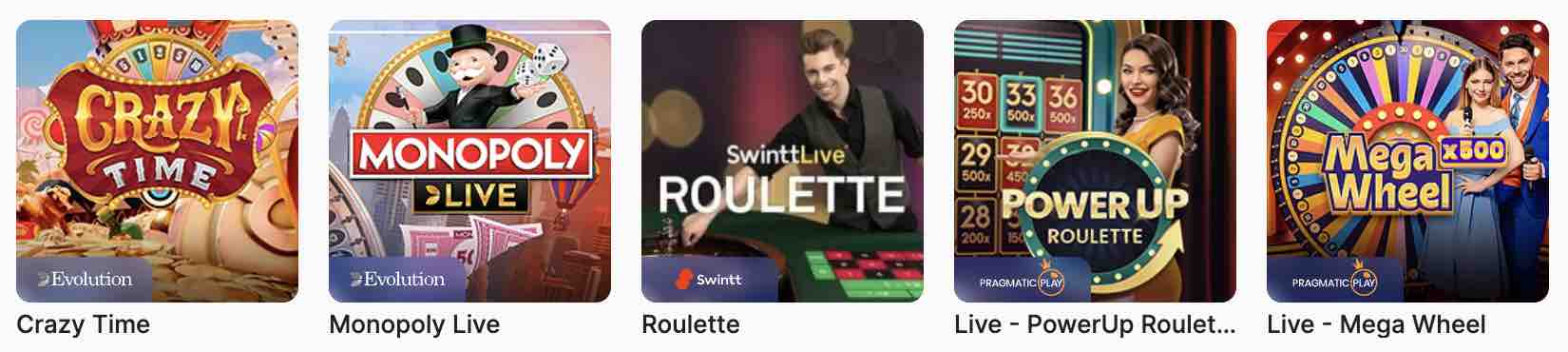
Ano všechna HTML5 hra, včetně celého lobby s živými krupier od poskytovatelů jako je Evolution, funguje uvnitř PWA. Zástupce spouští mobilně přizpůsobenou stránku v módu celé obrazovky, takže se jste schopni vstoupit k živému blackjacku nebo zatočit výherní automat bez jakýchkoli nefunkčních funkcí. Vyzkoušel jsem to na různých typech iPhonu a kvalita vysílání se samočinně přizpůsobuje vašemu připojení. Jediným omezením je absence push notifikací.
Jakým způsobem upgraduji program Ice Casino pro Android, až přijde nová verze?
Protože aplikace není na Play Store, musíte manuálně downloadnout nejnovější APK z icekaszino.org, jakmile je nová verze vyhlášena. Nainstalujte ji přímo přes stávající aplikaci, bez toho, abyste mazali starou verzi; vaše přihlašovací detaily, balance a konfigurace zůstanou nezměněné. Mám si pravidlo zavítat oficiální web každých pár týdnů nebo aktivovat upozornění z newsletteru, abych nikdy nepropásl kritickou update.
Reasons to Pick the Ice Casino Mobile App
I have tried the mobile browser version thoroughly, and the dedicated app delivers a markedly smoother experience. The Android application keeps core assets on the device after installation, which gets rid of repetitive loading screens and makes movements between games almost instant. This matters most when you want to place a quick bet during a short break, because every second of lag can disrupt your rhythm. For a Hungarian player on a 4G connection the speed improvement is instantly clear.
Another reason I suggest the app is push notifications. You can activate alerts for new bonus drops, tournament reminders, and important account updates directly on your lock screen. I have seen many players miss a time-sensitive offer because they depended only on email. With the app, Ice Casino can contact you the moment a Hungarian-themed promotion goes live, which places you in front of the crowd without constantly checking the site.
Navigation becomes far more user-friendly when the layout is designed for thumbs rather than a desktop cursor. The app places the game lobby, deposit button, and live chat exactly where you expect them after a few minutes of use. I can complete a deposit, search for a specific Evolution live table, and open the support window in fewer taps than any mobile site, which is crucial when you are playing on the tram or during a coffee break.
Guide to Get and Set Up the Ice Casino Android App One Step at a Time
Since the app is not available via Google Play, you have to sideload the APK yourself. The process takes only a couple of minutes if you stick to my sequence exactly. I will also demonstrate you how to adjust your security settings briefly and then revert them, so your device stays protected. Here are the steps I take every time I set up a new phone.
- Launch Chrome on your Android device and input icekaszino.org exactly into the address bar. I stay away from search engines for this step because sponsored links can sometimes direct to imitation sites.
- Click the menu icon (three lines) or search for a “Mobile App” banner on the homepage. The casino clearly labels the download button, and you will be sent to a dedicated page with the APK file.
- Before the download commences, you may see a warning. For Android 7 and below, open Settings → Security and activate “Unknown sources.” On Android 8 and above, your device will request for permission when you access the APK later, so don’t change anything yet.
- Download the APK. Once completed, open it from your notification bar or the Downloads folder. On modern Android versions, click “Settings” in the prompt and grant installation from your browser, then navigate back and hit “Install.”
- After installation ends, click “Open.” Login with your existing account or sign up directly in the app; the registration form is the same as the desktop version and works with Hungarian forint where available.
- For safety, I immediately turn off side-loading permissions. Navigate to Settings → Apps → Special app access → Install unknown apps and withdraw the permission for the browser you used.
A few practical tips I always offer with Hungarian players:
- Keep your battery above 20% during installation to stop file corruption.
- If you use a VPN, disable it while downloading; some server locations can trigger geo-restrictions and block the APK download.
- The app does not receive updates through the Play Store, so when a new version is launched you must go back to icekaszino.org and fetch the latest APK. Set up it over the old file without uninstalling, and your account data stays intact.
Device Support and Technical Prerequisites
I regularly test which handsets can run a casino app without issues, and I can confirm that the fedezzen fel többet Android build is designed for a broad range of devices. You are not required to have the latest flagship to enjoy fluid gameplay, but a handset launched in the last four years will provide you with the best balance of speed and stability. Tablets are also compatible, and the interface scales intelligently to larger screens without pixelated graphics or awkward menu layouts.
From my own testing across different models, here are the requirements that deliver a reliable experience:
- Android 7.0 (Nougat) or higher; Android 8.0+ recommended for live casino streams.
- At least 2 GB of RAM so that live dealer tables and slot animations operate without stutter.
- Screen resolution of 720p or higher; full HD panels show card details more distinctly.
- Around 120 MB of free storage after installation; the APK itself is small, but cached game files need headroom.
- A stable internet connection; 3G is sufficient for slots, while 4G/LTE or Wi‑Fi is preferable for HD live streams.
If you are using an iPhone, I must be straightforward: there is no native iOS app. Apple’s App Store policies rarely permit real-money casino downloads in Hungary. However, I have a complete workaround in the iOS section later that offers you the same app-like convenience through a home screen shortcut. That approach functions seamlessly on Safari and lets you launch the casino with one tap, exactly like a native app.
Managing Your Account, Deposits, and Cashouts from the App
I take care of all my casino banking from the app because the cashier reflects the website’s functionality exactly. When I want to deposit funds, I tap the deposit icon and choose from the payment methods accessible in Hungary. You can typically locate Visa, Mastercard, Skrill, Neteller, and sometimes bank transfer or local instant transfer services. If the casino supports Hungarian forint, the app automatically shows HUF amounts and eliminates conversion fees, which I always check in the cashier before confirming a transaction.
Withdrawals follow the same route in reverse. I have made cashouts directly from my phone and gotten e-wallet payments within the standard 0–24 hour window, while bank transfers took 1–3 business days as expected. The app holds your verified documents, so if you must submit a new proof of address, you can snap a photo with your phone camera inside the verification lobby without emailing it separately. Processing times are always shown in the cashier, and I advise checking them because they can vary by method and current load.
Responsible gaming tools are fully integrated. From the profile section I can set daily, weekly, or monthly deposit caps, activate a cool-off period, or even self-exclude entirely. The app implements these limits across all platforms, because your account is unified. I recommend reviewing these controls right after your first login; they are simple to toggle and give you a clear picture of your spending at a glance.
For iPhone Owners: Placing Ice Casino to Your Desktop
I appreciate that iPhone users feel left out when they learn about an Android-only app, but the Ice Casino mobile web interface is polished enough that you won’t miss a native application. You can add the casino to your home screen as a Progressive Web App. The PWA opens in full-screen mode, buffers frequently used assets, and keeps you logged in, so it behaves almost identically to a downloaded app.
Here is the fast process I advise: open Safari, go to icekaszino.org, and press the Share icon at the bottom of the screen. Scroll down and pick “Add to Home Screen,” name it “Ice Casino,” and approve. An icon shows up just like any other app, and pressing it opens the casino without the browser toolbars. This method demands no sideloading and automatically reflects every update because it pulls the latest web version.
I have utilized this shortcut daily and noticed hardly any functional difference. You receive the full catalog of slots, live dealer tables, and payment tools. The only minor difference is that you will not receive push notifications through the PWA, so I recommend having an eye on the promotions page inside the casino or turning on email alerts to keep up to date about exclusive Hungarian offers.
Core Features You’ll Love in the Ice Casino App
When I explore a new casino app, the first thing I check is how the game lobby adjusts to a small screen. Ice Casino shows thumbnails in a clean grid that you can sort by bleacherreport.com provider or category. Whether I am searching for a new Megaways slot or entering a night-time baccarat table, I can get there with two taps. The search bar handles partial names, so typing “book” immediately surfaces titles like Book of Dead.
Depositing is where the app truly stands out. Once you store a payment method, the cashier remembers your last choice and prepopulates the fields. I have added money to my account with a single fingerprint using the biometric confirmation that some Android models provide. The app also shows your current bonus balance and wagering progress in a thin bar at the top, which saves me from opening a separate menu just to check how close I am to meeting a turnover requirement.
Live chat sits inside the app as an overlay rather than a new tab, so you can continue playing while an agent checks a document or responds to a query. I tried this during a live blackjack hand and the support team got back within thirty seconds without interrupting my stream. Additionally, the responsible gaming tools are positioned prominently; you can configure deposit limits, session reminders, or self-exclusion directly from the profile section without navigating a separate web portal.
How the App Stands Apart from the Desktop Version
Numerous players believe a mobile app is just a smaller copy of the website, but I have noticed several meaningful differences that actually enhance daily use. The first is the navigation bar at the bottom of the screen. Instead of a side menu, you click on icons for Home, Lobby, Promotions, and Account. This thumb-optimised bar saves me from stretching across a large phone display and makes one-handed play easy.
The app’s login flow benefits from device-level biometrics. On phones with a fingerprint or face unlock sensor, you can lock the app so that only you can open it, which adds a layer of privacy if you hand over your device. The desktop browser version cannot deliver this because it depends entirely on a password. I also find that switching between the sportsbook and casino sections feels faster on the app because both modules are part of the same container, whereas the website sometimes refreshes the entire page structure.
A subtle but evident difference is how the app handles pop-ups. Instead of spawning new windows that trigger browser blockers, the app displays verification prompts and bonus acceptance screens as internal modal sheets. This means you never endanger losing a deposit because a pop-up was accidentally suppressed. The trade-off is that a few very old Flash-based games are not portable to the app, but the entire modern HTML5 catalogue is included, and I rarely miss anything from the desktop library.
Software Efficiency, Bandwidth Usage, and Safety
I track data usage frequently, and the Ice Casino app lands in a acceptable range. Slot games generally use between 2 MB and 5 MB per minute, according to animation complexity. If you spend time for an hour on a mobile connection, you can anticipate approximately 120–250 MB of data used, which is gentle on most Hungarian data plans. Live casino tables consume more because they transmit video; on medium quality, plan for around 300–500 MB per hour, so I change to Wi‑Fi for extended live sessions.
Security is critical, and I verify that every connection is protected. The app uses TLS 1.3, the same protocol as banking applications, so your payment details and personal information pass through a safe tunnel. The APK file is electronically signed by the operator, and I always recommend downloading it only from icekaszino.org to avoid modified copies that could carry malware. Because the casino possesses a Curacao eGaming licence, the app receives periodic fairness audits, and the random number generator is the same as on desktop.
One performance detail I like is how lightweight the app remains after weeks of use. It empties its cache efficiently, so storage does not balloon beyond the initial 120–150 MB footprint plus a small reserve for game assets. Even on a two-year-old mid-range phone, I detected no heating issues during extended slot sessions, which shows me the code is correctly optimised for sustained play.
